|
Sideshot Traverse (Offsets)
 |
|
Sideshot Traverse (Offsets)
|
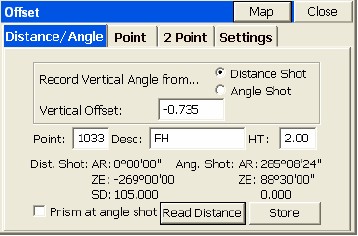
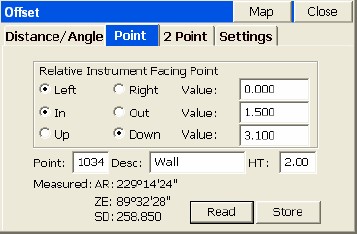
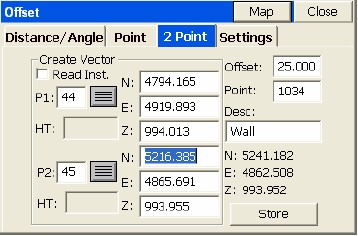
To make offset points using a Total Station requires entry of Alt O or selecting the O/Offset button within the Sideshot/Traverse Foresight Screen. This works from both the Graphic and Text screens when foresighting. There is no distinct Total Station “Offset” command—it is an offshoot (literally) of standard Sideshot/Traverse. The Total station Offset command must be selected each time it is used. It has three options:
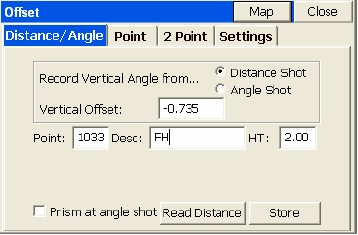
In the case of shooting a large tree, where the goal is to shoot the center of the tree, you would take a shot to the middle-side of the tree, equivalent to the distance to the center of the tree. Then you would take a second shot, as prompted, to the middle of the tree, for horizontal angle only. Note that for the elevation of the shot, you can use the distance measurement or the angle measurement (second reading), and apply the vertical offset, if any, accordingly. After both measurements are taken, the results are displayed as shown in the next figure. You are then returned to the dialog to take your next offset. Tap Close to exit to the main Foresight screen.